
A beautiful wallpaper can completely change the way a phone, computer, or tablet feels. Sometimes you do not need a complicated design or a collection of bright colors. Wallpaper Photo Prompt A soft portrait, dreamy lighting, natural colors, and a little cinematic atmosphere can be enough to create a wallpaper that feels personal and visually relaxing.
With the growth of AI image generation, creating this type of wallpaper has become much easier. Instead of searching through hundreds of stock images, you can describe the scene you want and let an AI image tool create a new visual based on your instructions.
The Dreamy Wallpaper Photo Prompt is designed around this idea. In this style, the image can combine realistic portrait photography with soft colors, warm light, blurred backgrounds, natural expressions, flowers, vintage-inspired styling, and cinematic depth of field. You can also create a black-and-white version when you want something more elegant and minimal.
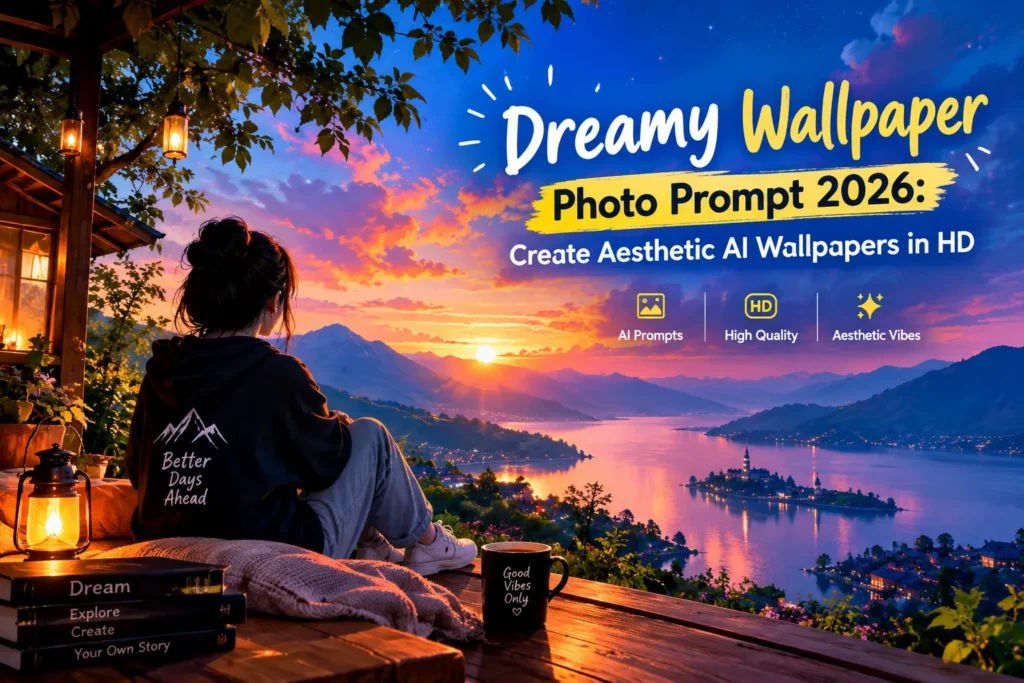
At vsasingh.com, we are sharing this guide for readers who want to experiment with AI-generated wallpapers without making the final image look overly artificial. The focus is on realistic photography, natural facial details, balanced lighting, and a composition that works well on modern phone and desktop screens.
You can use the prompts below as a starting point and then adjust the clothing, flowers, lighting, background, color grading, and aspect ratio according to your own preference.
What Is a Dreamy Wallpaper Photo?
A dreamy wallpaper photo is generally an image designed to create a soft, peaceful, romantic, cinematic, or atmospheric feeling. Unlike a regular portrait, a dreamy wallpaper usually pays attention to the complete visual mood.
For example, instead of simply generating a woman standing in front of a plain wall, you might create:
- A cinematic portrait surrounded by red roses
- A soft morning portrait near a window
- A vintage-inspired indoor photograph
- A black-and-white film-style portrait
- A warm sunset portrait
- A pastel-colored outdoor scene
- A portrait surrounded by flowers
- A dark aesthetic bedroom composition
- A peaceful nature wallpaper
- A romantic candlelit scene
The objective is to make the entire image feel connected. Lighting should match the environment. Colors should complement the subject. The background should support the portrait instead of distracting from it. That balance is what gives an AI-generated image a dreamy appearance.
Best Dreamy Wallpaper AI Prompt
The following prompt is an original version created for this vsasingh.com article.
AI Prompt 1: Warm Romantic Dreamy Portrait
Create a highly realistic cinematic portrait of a young South Asian woman in a warm, romantic and slightly vintage-inspired environment. Use the uploaded reference photograph only as an identity guide and preserve the person’s recognizable facial characteristics, natural facial proportions, hairstyle and overall appearance. Frame the subject in a close-up three-quarter portrait. Her body is turned slightly away from the camera while her face gently turns toward the viewer. Give her a calm, thoughtful and subtly mysterious expression with natural direct eye contact. She has long, thick naturally wavy dark brown-black hair falling softly over one shoulder and down her back. The hair should have realistic individual strands, natural volume and very subtle warm brown highlights where the light touches it. Keep her facial appearance realistic and understated. Use expressive dark eyes, naturally shaped eyebrows, realistic lips, subtle eyeliner and a soft natural complexion. Avoid excessive makeup, artificial skin smoothing or unrealistic facial proportions. Place a large bouquet of fresh deep-red roses close to her face. Several roses and green leaves should naturally overlap the lower portion of the portrait without completely hiding her facial features. The flowers should have realistic petals, natural imperfections and detailed green leaves. Dress the subject in a simple elegant black outfit with thin straps. Keep the clothing understated so that the face, hair and roses remain the main visual elements. Illuminate the scene with warm golden-orange light coming gently from one side. Create soft highlights on the woman’s face, shoulders and hair while allowing the opposite side to fall into natural cinematic shadow. Add subtle atmospheric depth, realistic lens compression, shallow depth of field and a softly blurred background. The environment should feel intimate and artistic rather than staged. Use realistic photography characteristics, natural skin texture, believable shadows, accurate facial anatomy, realistic flower details and subtle cinematic color grading. The final image should resemble a professionally photographed romantic editorial portrait rather than a digitally generated illustration. Composition: cinematic close-up, three-quarter profile, eye-level camera, shallow depth of field, realistic lens perspective, premium portrait photography. Mood: dreamy, romantic, elegant, peaceful, slightly mysterious and nostalgic. Aspect ratio: 9:16 for smartphone wallpaper.
Why This Prompt Works
A strong AI prompt does more than describe the person.
It gives the image generator information about:
- The subject
- The pose
- Clothing
- Hair
- Facial expression
- Main object
- Lighting
- Background
- Camera style
- Mood
- Image ratio
If you only type: “Create a dreamy girl wallpaper.” the AI has to make many creative decisions on its own. The result may still be attractive, but it might not match the exact visual idea you had in mind. A more detailed prompt gives the AI a clearer direction.
Dreamy Black and White Wallpaper Prompt
Not every dreamy wallpaper needs color. Black-and-white photography can create a completely different mood. It can make a portrait feel classic, artistic, minimal, nostalgic, or editorial. For users who prefer monochrome wallpapers, try this original prompt.
AI Prompt 2: Cinematic Black-and-White Portrait
Create an ultra-realistic cinematic black-and-white portrait of a young South Asian woman using the uploaded reference image as the identity reference. Preserve her recognizable facial proportions, natural facial structure, hairstyle and authentic appearance. Create a close-up vertical composition with her face as the primary focal point. She has long, naturally voluminous dark hair with soft layers and a slightly tousled appearance. Allow a few realistic strands of hair to fall naturally around her forehead and cheeks rather than making the hairstyle look perfectly arranged. Her expression should be calm, confident and subtly playful, with a gentle half-smile and natural direct eye contact toward the camera. Preserve realistic facial details including natural eyes, eyebrows, nose, lips, cheek structure and jawline. Avoid changing the identity or exaggerating any facial feature. Give her a simple elegant black off-shoulder or thin-strap outfit. Add very minimal jewelry, such as small floral-inspired earrings and a delicate necklace. Use soft natural light entering from a nearby window positioned slightly in front of and to one side of the subject. The light should create gentle highlights on the forehead, cheeks, nose, lips and hair while maintaining smooth, soft shadows. Place the subject inside a simple modern home or bedroom environment. Keep the background heavily blurred with only subtle suggestions of a light-colored wall, minimal furniture and an indistinct framed artwork. Apply sophisticated monochrome cinematic grading with soft blacks, natural gray midtones, smooth highlights, slightly lifted shadows and subtle analog-film character. Add very fine film grain, gentle halation, restrained bloom and a barely noticeable vignette. The result should feel like an authentic photograph rather than an artificial filter. Preserve natural skin texture and subtle tonal variations. Do not make the skin plastic or excessively smooth. Use realistic camera depth of field, natural lens compression, slight optical softness and authentic photographic imperfections. Composition: vertical 9:16, close-up portrait, eye-level camera, face slightly off-center, shallow depth of field. Mood: sophisticated, intimate, timeless, calm and cinematic. Negative instructions: no cartoon appearance, no anime styling, no CGI look, no plastic skin, no exaggerated beauty filter, no oversized eyes, no distorted facial features, no excessive makeup, no artificial symmetry, no excessive sharpening, no harsh flash, no fake scratches, no heavy grain, no text, no logo, no watermark, no UI elements.
What Makes a Good AI Wallpaper?
A wallpaper has a slightly different purpose from an ordinary social media photograph. The image should have enough visual space to work behind icons, widgets, and interface elements. This is particularly important for smartphone wallpapers. If the subject’s face is placed exactly in the center, phone icons or clock elements may cover important parts of the image. For that reason, you can ask the AI to place the subject slightly to the left or right.
For example:
Place the main subject slightly to the lower-right portion of the frame while leaving clean atmospheric space around the upper area for smartphone interface elements.
This small change can make the image more practical as a wallpaper.
Desktop Dreamy Wallpaper Prompt
Desktop screens are wider than smartphones, so a different composition is usually more appropriate. For a desktop wallpaper, you can adapt the prompt like this:
Create a wide cinematic dreamy portrait scene in 16:9 landscape composition. Place the main subject slightly to one side of the frame and leave generous softly blurred negative space on the opposite side. Use warm atmospheric lighting, realistic depth of field, subtle cinematic color grading and a clean background suitable for a desktop wallpaper.
The extra negative space can help keep desktop icons from covering the main subject.
How to Create a Dreamy Wallpaper Using AI
Creating the image is relatively straightforward.
Step 1: Decide the Mood
Before writing your prompt, decide what you want the wallpaper to feel like.
Some possibilities include:
- Romantic
- Peaceful
- Mysterious
- Vintage
- Elegant
- Cinematic
- Minimal
- Dark
- Soft
- Nostalgic
- Natural
Knowing the mood first makes the rest of the prompt easier.
Step 2: Choose a Reference Image
If you want the final image to resemble a particular person, use a clear reference photograph.
A good reference image should have:
- A visible face
- Reasonable resolution
- Natural lighting
- Minimal distortion
- Clear facial features
- No extreme filters
If the image is heavily blurred, the AI may have difficulty preserving recognizable details.
Step 3: Choose Your Main Visual Element
A dreamy wallpaper becomes more interesting when it has one strong visual element.
For example:
- Red roses
- Moonlight
- Window light
- Sunset
- Cherry blossoms
- Candlelight
Avoid adding too many unrelated objects. One dominant theme usually creates a cleaner image.
Step 4: Define the Lighting
Lighting has a major influence on the mood.
You can use:
- Warm golden light
- Soft morning light
- Sunset light
- Window light
- Candlelight
- Moonlight
- Diffused studio light
- Soft overcast daylight
For a dreamy portrait, avoid unnecessarily harsh lighting unless you specifically want a dramatic appearance.
Step 5: Select the Aspect Ratio
Choose the ratio according to your device.
- 9:16 — smartphone wallpaper
- 16:9 — desktop or laptop wallpaper
- 1:1 — square social media artwork
- 4:5 — portrait social media post
How to Make AI Hair Look More Realistic
Hair can make a huge difference to the quality of a portrait. AI sometimes creates hair that looks too perfect, too smooth, or almost painted.Instead, describe hair with realistic characteristics.
For example:
Natural individual hair strands, slightly tousled texture, realistic volume, soft flyaway strands and subtle highlights created by the available light.
This gives the AI more information than simply saying: “beautiful long hair.”
How to Preserve Facial Identity
If you are editing an existing photograph, identity preservation should be explicitly mentioned.
You can use this instruction:
Use the reference photograph to maintain the person’s recognizable identity. Preserve natural eye shape, eyebrow structure, facial proportions, nose shape, lips, jawline and overall facial characteristics. Do not redesign the face or turn the subject into a different person.
This is particularly useful when the purpose of the image is to transform a real photograph rather than create a completely fictional character.
A Simple Negative Prompt for Realistic Results
If your AI tool supports negative prompts, you can use a general version like this:
cartoon, anime, illustration, CGI, 3D render, plastic skin, artificial face, excessive smoothing, unrealistic eyes, distorted facial structure, extra fingers, malformed hands, duplicate objects, unnatural hair, excessive makeup, oversaturated colors, extreme HDR, harsh flash, excessive sharpening, heavy blur, fake film scratches, excessive grain, text, watermark, logo, border, UI elements
Not every AI platform handles negative prompts in exactly the same way, so the result may vary depending on the tool.
Dreamy Wallpaper Prompt for a Couple
If you want to create a couple wallpaper, you can adapt the concept:
Create a realistic cinematic couple portrait in a dreamy romantic environment. Preserve both people’s recognizable facial identities from the reference photographs. Place them close together in a natural candid pose with soft expressions. Use warm golden-hour lighting, shallow depth of field, subtle background bokeh and realistic skin texture. Create a soft atmospheric color palette with natural shadows and realistic photographic detail. Keep sufficient negative space around the subjects for a smartphone wallpaper composition. Vertical 9:16.
Dreamy Nature Wallpaper Prompt
For people who do not want a human portrait, AI can also create purely atmospheric wallpapers.
Create an ultra-realistic dreamy nature landscape at early morning. A peaceful meadow covered with soft green grass stretches toward distant misty hills. Warm sunlight passes gently through thin morning fog while tiny wildflowers appear naturally across the foreground. Use cinematic depth, realistic atmospheric perspective, soft highlights and natural colors. The scene should feel peaceful, fresh and immersive, like a professionally photographed landscape. Vertical 9:16 smartphone wallpaper composition.
Dreamy Night Wallpaper Prompt
For a darker aesthetic:
Create a cinematic nighttime landscape with a deep blue sky, a bright moon partially surrounded by soft clouds, distant trees in silhouette and a calm reflective lake in the foreground. Add subtle atmospheric mist and realistic moonlight reflections across the water. Keep the color palette sophisticated and restrained, with natural contrast and realistic photographic depth. No text, no people, no artificial objects. Vertical 9:16 wallpaper composition.
Tips for Choosing the Final Wallpaper
Once you generate several versions, do not automatically choose the most detailed image. Look at how the image works as a wallpaper.
Ask yourself:
- Is the main subject clearly visible?
- Is there enough empty space for icons?
- Are important details covered by the clock?
- Does the image look good at full-screen size?
- Are the colors comfortable to look at?
- Is the background distracting?
- Does the image remain attractive when cropped?
A photograph can look excellent as a normal image but become less useful when used as a phone wallpaper.
FAQs
What is a Dreamy Wallpaper Photo Prompt?
What is a Dreamy Wallpaper Photo Prompt?
It is a detailed text instruction used with an AI image generator to create soft, cinematic, atmospheric and aesthetically pleasing wallpaper images.
Can I use my own photo?
Can I use my own photo?
Yes. If your AI tool supports reference images, you can upload a suitable photograph and instruct the system to preserve the person’s recognizable appearance.
Which aspect ratio is best for mobile wallpaper?
Which aspect ratio is best for mobile wallpaper?
A 9:16 vertical composition is a common choice for modern smartphone wallpapers.
What ratio should I use for desktop wallpapers?
What ratio should I use for desktop wallpapers?
A 16:9 landscape composition is generally suitable for many desktop and laptop screens.
How can I make the image more realistic?
How can I make the image more realistic?
Use a clear reference image and emphasize natural skin texture, realistic lighting, accurate anatomy, natural hair and believable depth of field.
Why does my AI image look too artificial?
Why does my AI image look too artificial?
This can happen because of excessive smoothing, unrealistic lighting, overly perfect facial features, excessive sharpening or too many visual effects. Simplifying the prompt and asking for natural photographic characteristics can help.
Can I use these prompts for social media?
Can I use these prompts for social media?
Yes. You can adapt the aspect ratio and composition for Instagram, Facebook, Pinterest, YouTube Shorts and other platforms.
Can I make a wallpaper without a person?
Can I make a wallpaper without a person?
Absolutely. AI can create dreamy landscapes, city scenes, bedrooms, skies, flowers, beaches, forests and abstract environments as wallpapers.
Conclusion
A dreamy wallpaper does not have to be complicated. Sometimes a simple portrait, soft lighting, realistic colors and a carefully blurred background can create a much stronger visual than an image filled with unnecessary effects.
The Dreamy Wallpaper Photo Prompt concept gives you a flexible starting point for creating that kind of image with AI. You can use a warm romantic portrait with red roses when you want something emotional, or choose a monochrome cinematic composition when you prefer a classic and minimal appearance.
For a desktop wallpaper, a wide composition with the subject placed toward one side can provide a more practical layout. And if your first AI result does not look perfect, do not immediately start over. Identify the exact problem—whether it is the face, hair, flowers, lighting, hands or background—and make a targeted correction.
AI image generation becomes much more useful when you treat it as an iterative creative process. Try different colors, lighting conditions, locations and compositions until you find a style that feels right for you. This Dreamy Wallpaper Photo Prompt guide has been written as an original editorial piece for vsasingh.com, with a focus on practical AI photo-editing ideas, realistic photography and creative wallpaper design.




Leave a Reply