
Computer par kaam karte waqt hum keyboard, monitor aur processor par to bahut dhyan dete hain, lekin mouse ko aksar ek simple accessory samajhkar ignore kar dete hain. Jab tak mouse properly kaam kar raha hota hai, tab tak uski importance feel nahi hoti. Best Mouse for Office Lekin roz 7–9 ghante laptop ya desktop par kaam karne ke baad ek uncomfortable, noisy ya unreliable mouse ka difference clearly samajh aane lagta hai.
Office work ke liye mouse choose karte waqt sirf DPI ya fancy features dekhna enough nahi hai. Ek achha work mouse woh hai jo long working hours mein comfortable rahe, clicks unnecessarily loud na hon, scrolling smooth ho, connection baar-baar disconnect na ho aur battery ko lekar har do din mein tension na deni pade.
Aaj ke time mein work-from-home, hybrid work, online classes, freelancing aur regular office jobs ke karan mouse ka use aur bhi important ho gaya hai. Kisi ke paas laptop + desktop ka setup hai, koi Excel spreadsheets par hours spend karta hai, koi graphic work karta hai aur kisi ko bas browsing, email aur documents ke liye reliable mouse chahiye.
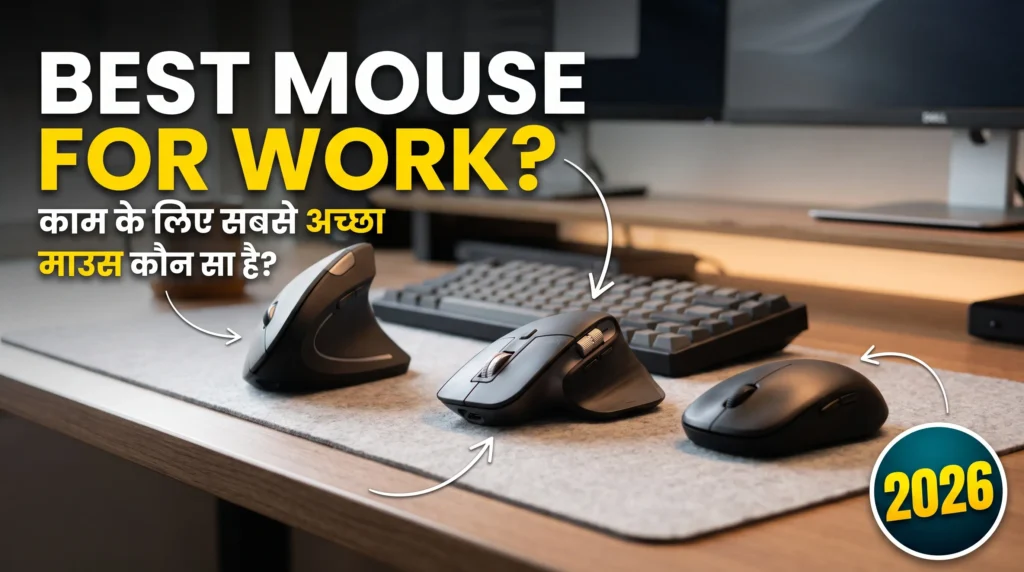
Isi wajah se VSASINGH.COM par humne work mouse ko gaming mouse ki tarah sirf DPI aur sensor numbers ke basis par nahi dekha. Is guide mein focus hai comfort, silent clicks, connectivity, battery, scrolling, multi-device support aur price par.
Agar aap 2026 mein apne office, home office, study desk ya WFH setup ke liye mouse lene ka plan bana rahe hain, to ye guide aapko apne use case ke according option choose karne mein help karegi.
Note: Neeche diye gaye prices approximate hain. India mein online aur offline retailers ke according prices offers aur availability ke saath change ho sakti hain.
2026 Mein Work Ke Liye Mouse Kharidte Waqt Kya Dekhein?
Gaming mouse ke specifications dekhte waqt DPI, polling rate, sensor aur response time jaise terms frequently sunne ko milte hain. Lekin office work ke liye priority thodi different hoti hai.
Aapko mouse choose karte waqt sabse pehle ye questions khud se poochne chahiye:
- Kya mouse silent hona chahiye?
- Kya aap Bluetooth use karna chahte hain?
- Kya aapke PC mein Bluetooth available hai?
- Kya USB receiver convenient rahega?
- Kya aapko ek mouse ko multiple devices ke saath use karna hai?
- Kya aapka kaam mostly Excel, Word aur browsing hai?
- Kya aap long hours mouse use karte hain?
- Kya rechargeable mouse chahiye ya replaceable battery?
- Kya aap right-handed hain ya left-handed?
- Aapka actual budget kitna hai?
Office Work Ke Liye DPI Kitna Important Hai?
Mouse shopping ke time sabse zyada highlight hone wale specifications mein se ek DPI hai. DPI ka simple relation cursor sensitivity se hai. Higher DPI par mouse ko chhoti physical movement mein screen par zyada distance cover karne ke liye configure kiya ja sakta hai.
Lekin normal office work ke liye aapko 20,000 ya 30,000 DPI wala mouse lene ki zarurat nahi hoti. Browsing, documents, spreadsheets, emails aur normal productivity ke liye moderate sensitivity generally sufficient hoti hai. Isliye sirf isliye expensive mouse mat kharidiye kyunki uske box par huge DPI number likha hai. Work mouse mein comfort aur usability ko DPI se zyada priority dena practical approach hai.
Work Mouse Mein Silent Click Kyon Useful Hai?
Agar aap office mein colleagues ke saath same room mein kaam karte hain, to mouse ke continuous clicks surprisingly irritating ho sakte hain. Isi tarah agar aap late night work karte hain aur family members nearby hain, to quiet mouse useful ho sakta hai.
Video meetings mein bhi microphone kabhi-kabhi mouse clicks ko pick kar leta hai, especially jab microphone sensitivity high ho. Isliye shared workspace ke liye silent ya low-noise mouse ek genuinely useful feature hai.
Best Mouse for Work 2026: Hamari Shortlist
Agar aap poora article nahi padhna chahte aur direct options dekhna chahte hain, to ye shortlist useful ho sakti hai:
- Premium Productivity: Logitech MX Master 4
- Budget Wireless: Logitech M221 / M331 Silent
- Everyday Office: Logitech Signature M650
- Bluetooth Office Use: HP 240
- Multi-Device Budget Option: Rapoo M650
- Ergonomic Design: Logitech MX Vertical / Lift
- Ultra Budget: Zebronics / Portronics
Har option ka use case different hai. Isliye list mein top par hone ka matlab ye nahi ki woh har user ke liye suitable hoga.
Logitech MX Master 4 – Premium Work Mouse
Agar aapko ek premium productivity mouse chahiye aur budget major concern nahi hai, to Logitech MX Master 4 type ka mouse advanced office setup ke liye interesting option ho sakta hai.Is category ke premium Logitech mice ka main focus gaming nahi, balki productivity hota hai. Aapko typically advanced scrolling, multi-device connectivity, customizable buttons aur rechargeable design jaise features milte hain.
MX Master series ki sabse useful features mein se ek multi-device workflow hai. Agar aapke desk par ek work laptop aur ek personal computer dono hain, to multiple devices ko manage karna convenient ho sakta hai. Logitech Flow ecosystem compatible setup mein cursor ko ek computer se doosre computer par move karna aur supported workflow mein files ya text transfer karna possible hota hai.
Ye feature har user ke liye necessary nahi hai, lekin jo person regularly two-computer setup use karta hai uske liye kaafi practical ho sakta hai.
MX Master 4 Kis User Ke Liye?
Ye mouse consider kiya ja sakta hai agar:
- Aap professional office work karte hain
- Aap multiple computers use karte hain
- Long documents aur webpages scroll karte hain
- Extra programmable controls useful lagte hain
- Premium ergonomic design chahiye
- Rechargeable mouse preferred hai
Logitech M221 / M331 Silent – Budget Mein Simple Wireless Mouse
Agar aapko expensive features nahi chahiye aur bas ek simple, reliable aur quiet wireless mouse chahiye, to Logitech M221 ya M331 Silent series practical options ho sakti hain. In mice ka major attraction silent clicking hai.
Office environment mein ye feature genuinely useful ho sakta hai, especially jab aap frequently documents, emails aur spreadsheets par kaam karte hain. Ye mice traditional 2.4GHz wireless USB receiver based connection use karte hain, isliye desktop PC ke liye bhi convenient ho sakte hain.
Battery Kaise Kaam Karti Hai?
In budget wireless models mein replaceable AA battery ka use hota hai. Kuch users rechargeable mouse ko prefer karenge, lekin replaceable battery ka ek simple advantage bhi hai. Battery low ho gayi? Nayi AA battery lagaiye aur kaam continue. Charging ke liye kuch time wait karne ki zarurat nahi.
Kis Ke Liye Suitable?
- Students
- Office employees
- WFH users
- Basic computer users
- Shared workspace users
- Desktop users
- Silent click preference wale users
Approximate price: ₹699–₹999 ke range mein, model aur retailer ke according.
Logitech Signature M650 – Everyday Office Work Ke Liye
Agar aap ₹700 wale basic mouse se thoda better experience chahte hain, lekin premium MX Master series tak nahi jana chahte, to Logitech Signature M650 ek middle-ground option hai. Is mouse ka focus comfort, quiet clicking aur smooth scrolling par hai. Ismein Logitech ka SmartWheel scrolling system milta hai, jo normal precise scrolling se fast scrolling ke beech transition provide kar sakta hai.
Long webpages, documents aur spreadsheets ke saath kaam karne wale users ke liye scrolling experience important hota hai. Signature M650 mein Bluetooth aur compatible Logitech receiver ke through connectivity options available ho sakte hain, jo variant ke according differ karte hain.
Is Mouse Ko Kaun Consider Kare?
- Office professionals
- WFH users
- Students
- Writers
- Researchers
- Excel users
- Long browsing sessions wale users
Approximate Price: India mein price generally ₹2,000–₹3,000 range ke aas-paas fluctuate kar sakti hai.
HP 240 Bluetooth Wireless Mouse – Simple Bluetooth Setup
Agar aap USB receiver carry nahi karna chahte aur aapke laptop ya PC mein Bluetooth already available hai, to HP 240 Bluetooth Wireless Mouse jaise options useful ho sakte hain.Bluetooth mouse ka ek simple advantage hai — USB receiver ki zarurat nahi padti.
Laptop users ke liye ye particularly convenient ho sakta hai, kyunki modern laptops mein USB ports limited ho sakte hain. Agar aap already USB port mein pendrive, external SSD ya keyboard receiver use kar rahe hain, to Bluetooth mouse ek port free rakh sakta hai.
Dhyan Dene Wali Baat
Bluetooth mouse lene se pehle confirm karein ki jis computer ke saath aap use karna chahte hain usmein Bluetooth available hai. Agar desktop mein Bluetooth built-in nahi hai, to Bluetooth adapter ki zarurat pad sakti hai.
Approximate price: ₹699–₹949 ke around, availability aur offers ke according.
Rapoo M650 – Budget Multi-Device Option
Agar aapka workflow ek hi computer tak limited nahi hai, to Rapoo M650 jaise multi-device mice interesting ho sakte hain. Multi-device mouse ka concept simple hai. Aap mouse ko multiple supported devices ke saath pair kar sakte hain aur button ke through connection switch kar sakte hain.
For example:
Laptop → Desktop → Tablet
Agar aap frequently different devices ke beech switch karte hain, to baar-baar pairing karne ki need kam ho sakti hai. Rapoo M650 category mein quiet operation aur Bluetooth connectivity jaise features mil sakte hain.
Kis User Ke Liye?
Ye option useful ho sakta hai agar:
- Aap laptop + desktop dono use karte hain
- Aapko Bluetooth connectivity chahiye
- Multiple-device switching useful hai
- Premium mouse par zyada spend nahi karna chahte
Price offers ke according change hoti rehti hai aur approximately ₹599–₹999 ke range mein mil sakta hai.
Logitech MX Vertical – Ergonomic Work Setup Ke Liye
Agar aap traditional mouse ki shape se comfortable nahi hain aur ergonomic design explore karna chahte hain, to Logitech MX Vertical ek different type ka option hai.
- Traditional mouse mein palm comparatively flat position mein hoti hai.
- Vertical mouse hand ko more upright orientation mein place karta hai.
- MX Vertical ka design approximately 57-degree angle ke around hai.
- Is type ke mouse ko use karne ka purpose hand positioning ko different banana hai.
Lekin ek important point hai:
Vertical mouse instantly comfortable feel ho, ye guaranteed nahi hai.
Agar aap saalon se traditional mouse use kar rahe hain, to vertical mouse par shift hone mein adjustment time lag sakta hai. Isliye agar possible ho, purchase se pehle ergonomic mouse ko physically try karna useful ho sakta hai.
Kis User Ke Liye?
- Long working hours
- Ergonomic setup prefer karne wale users
- Traditional mouse shape se uncomfortable users
- Productivity-focused users
Best Work Mouse 2026: Quick Comparison
| Mouse | Best For | Approx. Price | Connectivity | Power | Special Feature |
|---|---|---|---|---|---|
| Logitech MX Master 4 | Premium productivity | ₹11,995 approx. | Bluetooth + receiver | Rechargeable | Multi-device workflow |
| Logitech M221/M331 | Budget silent work | ₹699–₹999 | USB receiver | AA battery | Quiet clicks |
| Logitech Signature M650 | Everyday office | ₹2,000–₹3,000 approx. | Bluetooth/receiver | AA battery | SmartWheel |
| HP 240 | Bluetooth office setup | ₹699–₹949 | Bluetooth | AA battery | Receiver-free setup |
| Rapoo M650 | Budget multi-device | ₹599–₹999 approx. | Bluetooth | AA battery | Multi-device switching |
| Logitech MX Vertical | Ergonomic work | Varies | Bluetooth/receiver | Rechargeable | Vertical design |
| Logitech Lift | Smaller-hand ergonomics | Varies | Bluetooth/receiver | AA battery | Compact vertical shape |
| Zebronics/Portronics | Basic budget use | ₹450–₹700 approx. | USB/wireless varies | Varies | Affordable |
Note: Prices, variants and specifications retailer aur region ke according change ho sakte hain.
Bluetooth Ya USB Receiver?
Ye decision bhi aapke computer setup par depend karta hai.
Bluetooth
Bluetooth mouse:
- USB port save karta hai
- Laptop ke liye convenient hai
- Receiver carry karne ki zarurat nahi
- Multiple compatible devices ke liye useful ho sakta hai
USB Receiver
USB receiver mouse:
- Older desktops ke liye useful
- Plug-and-play setup simple ho sakta hai
- Bluetooth hardware ki zarurat nahi
Lekin receiver ko lose karna annoying ho sakta hai. Agar aap laptop ko regularly bag mein carry karte hain, to receiver ko mouse ke storage compartment mein rakhna useful habit hai, agar mouse mein aisa slot diya gaya ho.
Mouse Kharidte Waqt Ye Mistakes Avoid Karein
Sirf DPI Dekhkar Mouse Mat Kharidein
- High DPI ka matlab automatically better office mouse nahi hota.
- Comfort aur tracking quality zyada important hai.
Connectivity Check Karein
Mouse Bluetooth-only hai aur aapke desktop mein Bluetooth nahi hai, to purchase ke baad problem hogi.
Hand Size Ignore Na Karein
- Large mouse small hands ke liye uncomfortable ho sakta hai.
- Similarly, small mouse large hands ke liye cramped feel ho sakta hai.
Silent Click Ko Ignore Na Karein
Agar aap shared office ya bedroom ke paas work karte hain, quiet clicks genuinely useful feature ho sakte hain.
Left-Handed Users Availability Check Karein
- Kaafi ergonomic mice right-hand specific designs ke saath aate hain.
- Left-handed users ko purchase se pehle shape aur button placement check karna chahiye.
Battery Type Check Karein
- Rechargeable aur AA battery ke experience mein difference hota hai.
- Purchase se pehle decide karein ki aapko kaunsa setup convenient lagega.
FAQs
Work from home ke liye best mouse kaunsa hai?
Work from home ke liye best mouse kaunsa hai?
WFH ke liye mouse choose karte waqt comfort, quiet clicks, reliable connectivity aur battery life ko priority dena useful hai. Budget ke according Logitech M221/M331, Signature M650 ya premium MX series jaise options consider kiye ja sakte hain.
Kya silent mouse office work ke liye useful hai?
Kya silent mouse office work ke liye useful hai?
Haan. Agar aap shared office, library, bedroom ya video calls wale environment mein work karte hain, to silent clicks kaafi useful ho sakte hain.
Kya office work ke liye high DPI mouse chahiye?
Kya office work ke liye high DPI mouse chahiye?
Nahi. Normal office tasks ke liye extremely high DPI required nahi hota. Moderate sensitivity browsing, documents aur spreadsheets ke liye generally sufficient hoti hai.
Kya Bluetooth mouse better hai?
Kya Bluetooth mouse better hai?
Bluetooth mouse laptop users ke liye convenient ho sakta hai kyunki USB receiver ki zarurat nahi hoti. Lekin agar desktop mein Bluetooth available nahi hai, to USB receiver wala mouse easier option ho sakta hai.
Kya wireless mouse office work ke liye reliable hai?
Kya wireless mouse office work ke liye reliable hai?
Achhe quality ka wireless mouse normal office work ke liye practical ho sakta hai. Purchase karte waqt connectivity, battery life aur receiver/Bluetooth compatibility check karna important hai.
Kya ergonomic mouse lena zaroori hai?
Kya ergonomic mouse lena zaroori hai?
Har user ke liye ergonomic mouse necessary nahi hai. Lekin long working hours ya different hand positioning prefer karne wale users ergonomic mouse explore kar sakte hain.
Kya ₹500 ka mouse office work ke liye enough hai?
Kya ₹500 ka mouse office work ke liye enough hai?
Basic browsing, documents aur normal computer operation ke liye ₹500–₹700 range ka mouse sufficient ho sakta hai. Lekin premium comfort, silent clicks aur advanced features ke liye higher budget models better options de sakte hain.
Kya rechargeable mouse better hai ya battery wala?
Kya rechargeable mouse better hai ya battery wala?
Ye personal preference par depend karta hai. Rechargeable mouse charging convenient banata hai, jabki AA battery mouse mein low battery hone par instant replacement possible hota hai.
Final
Premium users ke liye Logitech MX Master series productivity-focused features provide karti hai, jabki Signature M650 jaise options premium aur budget ke beech practical middle ground create karte hain.
VSASINGH.COM par technology guides ka goal bhi yahi hai — complicated specifications ko simple language mein samjhana, taaki product kharidte waqt aap sirf marketing numbers nahi, balki apne actual use ko dhyan mein rakhein.
2026 mein mouse kharidte waqt bhi यही approach rakhiye: features kam ya zyada hone se zyada important hai ki woh features aapke kaam ke hain ya nahi.





Leave a Reply