
Fog moving slowly between green hills, a quiet road disappearing into the distance, clouds sitting below a viewpoint and a person standing alone against a huge landscape can turn an ordinary moment into a powerful visual story. Viral Mountain View AI
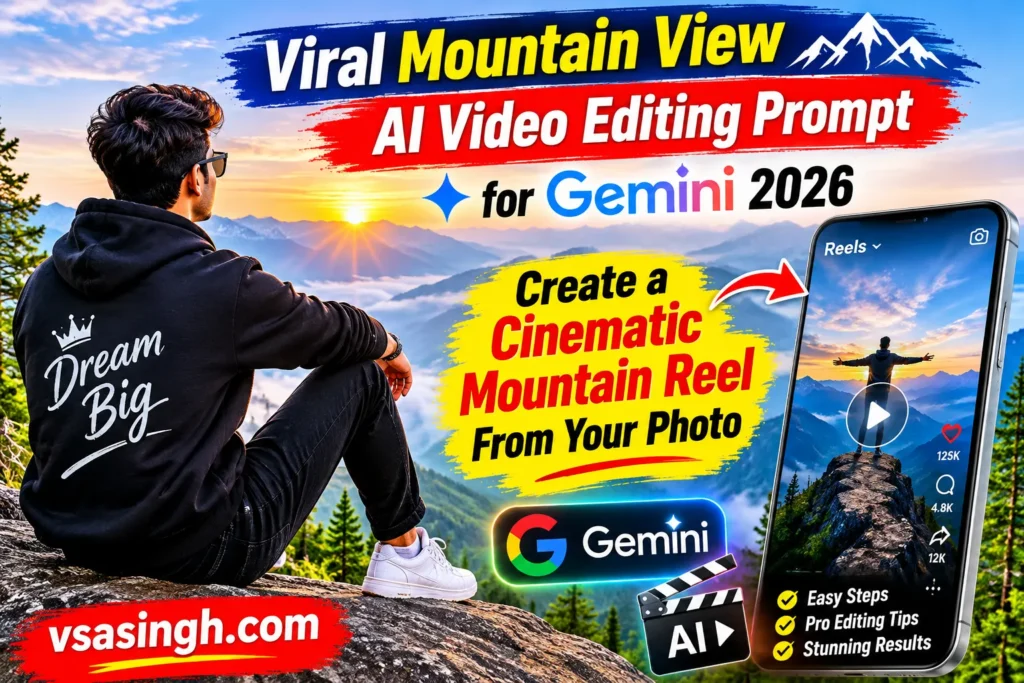
A single photograph can become the starting point for a short AI-generated mountain sequence. Cinematic Viral Mountain View AI With the right instructions, the subject can appear to walk through a misty landscape, sit quietly on a hillside, stand beside a small mountain house and finally become a silhouette against a sea of clouds.
At vsasingh.com, we have created this version as a fresh, original prompt concept for readers who want to experiment with cinematic AI videos in 2026. Mountain Cinematic Viral View AI Editing Instead of focusing only on making a person move, the prompt is designed around mood, landscape, camera movement, continuity, natural body motion and storytelling.
What You Need Before Using the Prompt
You will need a photograph that clearly represents the person you want to place into the mountain video. A natural portrait or reasonably clear full-body image is preferable.
Try to use an image with:
- Clear face
- Good lighting
- Natural skin texture
- Visible hairstyle
- Minimal beauty filters
- Reasonably sharp details
- Natural body proportions
If you want the AI to create walking and standing scenes, a photograph showing more of the person’s body can be useful. If your photograph is only a close-up portrait, the AI may have to interpret the rest of the body. A full-body or three-quarter photograph gives the model more visual information.
Original Gemini Mountain Cinematic Video Prompt
The following master prompt has been freshly written for this vsasingh.com guide. You can use it as a starting point and change the clothing, location, lighting and mood according to your preference.
MASTER MOUNTAIN CINEMATIC VIDEO PROMPT
Create a photorealistic cinematic live-action video in vertical 9:16 format using the uploaded photograph as the main visual reference for the person.
The entire video should look like authentic cinematic footage captured in a remote mountain landscape during the transition from late evening to dusk.
Preserve the person’s recognizable facial identity, natural hairstyle, apparent age, skin tone and realistic body proportions throughout every scene.
The person should remain the same individual from the opening frame to the final shot.
Do not redesign the face or alter the person’s natural physical appearance.
Dress the subject in a sophisticated navy-blue casual jacket or collared shirt, dark trousers and clean white sneakers.
Keep the same clothing throughout the complete sequence.
The environment should consist of expansive green mountain slopes, natural grass, layered hillside cultivation, distant valleys and atmospheric fog.
Use realistic wind, natural fabric movement and physically believable human motion.
The overall visual mood should be peaceful, reflective and cinematic rather than exaggerated or fantasy-like.
Face Consistency Instructions
A personal AI video works best when the subject remains recognizable. Add this identity section to the prompt:
IDENTITY PRESERVATION
The uploaded photograph is the primary reference for the person’s identity.
Preserve the same recognizable individual throughout every scene.
Maintain consistent facial structure, eye shape, eyebrows, nose, lips, jawline, skin tone, hairstyle and apparent age.
Do not introduce facial morphing between scenes.
Do not change the person into another individual.
Do not artificially reshape the face.
Do not make the person significantly younger or older.
Do not apply excessive beauty retouching.
Preserve natural facial texture and realistic skin detail.
This section is particularly useful when the video changes from a rear shot to a side-profile or closer facial composition.
Body Proportion Lock
The person should also retain their natural build.
Use:
BODY CONTINUITY
Preserve the person’s natural height, shoulder width, torso proportions, arm length, leg length, head-to-body ratio and overall build from the uploaded reference.
Do not make the person unusually muscular, extremely thin, oversized or unusually tall.
Maintain realistic human anatomy throughout every scene.
Clothing should naturally fit the person’s actual body proportions.
The idea is to prevent the subject from looking like a completely different person simply because the camera changes.
Outfit Consistency
For a cinematic video, changing clothing between scenes can immediately break continuity.
Add:
WARDROBE LOCK
Keep one identical outfit from the beginning to the end of the video.
Navy-blue casual jacket or collared shirt, dark trousers and clean white sneakers.
Do not change clothing colors.
Do not add random accessories.
Do not replace the shoes.
Do not introduce a different jacket or shirt in later scenes.
Keep the fabric realistic and naturally affected by mountain wind.
How to Make the Mountain Environment Look Real
Mountain AI videos can easily become too perfect. Real mountains contain imperfections.
You may see:
- Uneven grass
- Small rocks
- Natural soil
- Irregular vegetation
- Mist with different densities
- Uneven terraces
- Weather changes
- Hazy distant mountains
Including these details can make the environment feel less artificial. Instead of asking for a “perfect cinematic mountain,” describe a believable natural landscape.
For example:
Create a realistic mountain environment with uneven grass, naturally distributed vegetation, distant agricultural terraces, atmospheric haze and irregular terrain.
This encourages environmental detail without requiring excessive effects.
Negative Prompt for Mountain AI Video
AVOID
Face replacement, identity drift, facial distortion, hairstyle changes, body transformation, unrealistic proportions, excessive muscularity, changing clothes, changing shoes, random accessories, artificial skin, plastic face, extra fingers, missing fingers, extra limbs, distorted hands, floating feet, sliding feet, robotic walking, unnatural sitting, teleportation, sudden background changes, unrealistic fog, warped mountains, duplicated trees, distorted buildings, cartoon appearance, anime style, CGI appearance, excessive HDR, oversaturated colors, unrealistic blue skin, extreme sharpening, excessive blur, artificial lens effects and abrupt camera movement.
Again, negative instructions are best viewed as guidance rather than a guarantee.
Don’t Overload the Prompt With Effects
A cinematic video doesn’t need every possible effect.
Avoid asking for:
- Massive explosions of clouds
- Extreme lens flares
- Constant slow motion
- Unrealistic camera spins
- Oversaturated colors
- Artificial light rays everywhere
These effects can make the result look less like real footage. Natural atmosphere is often enough. The mountains, fog, wind and changing camera distance already provide visual drama.
FAQs
What is the mountain view AI video prompt?
It is a structured set of instructions designed to guide an AI video generator toward creating a cinematic mountain sequence using a photograph as the main subject reference.
Can I use my own photograph?
Yes. The concept is designed around using a personal image as the visual reference.
Do I need a full-body photograph?
A full-body image can be useful because the sequence contains walking and standing shots, but it is not necessarily required.
Can I change the mountain location?
Yes. You can describe another mountain landscape, valley, hill station, forest road or viewpoint.
Can I change the outfit?
Yes. Replace the clothing description with your preferred style and ask the model to maintain it throughout the video.
Why does the face sometimes change?
AI video generation has to reconstruct the person across different poses, camera angles and frames. Small identity changes can occur. A clear reference image and strong consistency instructions may help.
Can I create a female version?
Yes. The same cinematic structure can be adapted for a female subject by changing the appearance and wardrobe instructions appropriately.
Can I create this as an Instagram Reel?
The vertical 9:16 format is designed with short-form vertical video in mind. The exact generation and export options depend on the AI platform and features available at the time of use.
Will the result look exactly like a real camera recording?
AI-generated video can produce highly realistic results, but it can also contain artifacts or inconsistencies. The prompt should therefore be treated as creative guidance rather than a guarantee of perfect realism.
Final Thoughts
For the best possible result, start with a clear photograph and don’t be afraid to refine the prompt after the first generation If the face changes, work on identity instructions If the body looks unnatural, improve the proportion section If the mountains become distorted, simplify the environment If the camera moves too aggressively, make the movement slower and more controlled.
This article and the cinematic prompt have been freshly written for vsasingh.com as an original AI, Tech and Trends resource.



Leave a Reply