
Aaj ke time mein students ke liye AI sirf ek trend nahi raha. Padhai, assignments, presentations, research aur daily productivity mein Artificial Intelligence ka use kaafi common ho chuka hai. Lekin problem ye hai ki internet par “Free AI Tools for Students” search karne par itne saare options milte hain ki samajhna mushkil ho jata hai ki actual mein kaunsa tool kis kaam ka hai.
ChatGPT, Grammarly, QuillBot aur Canva jaise popular tools ke baare mein almost har best free AI tools for students 2026 ne suna hai. Lekin 2026 mein AI ecosystem kaafi bada ho gaya hai. Kuch aise tools bhi available hain jo specific student problems ko solve karne mein kaafi useful ho sakte hain.
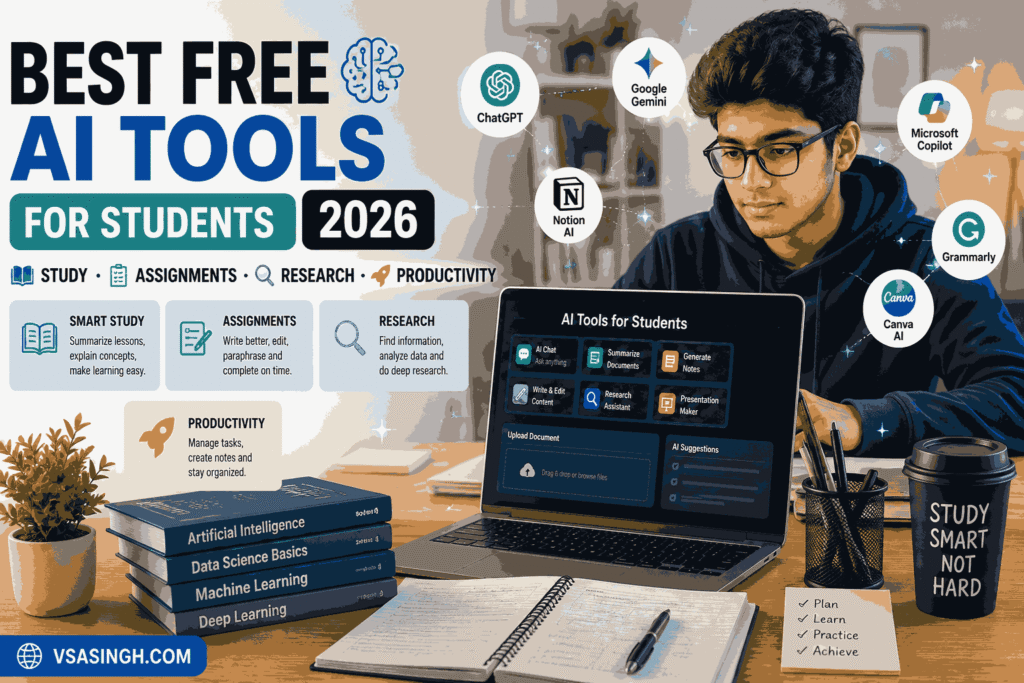
For example, agar aapke paas 100-page ka PDF hai aur exam se pehle usko revise karna hai, to normal chatbot se question poochne ke bajay NotebookLM jaise tool ka approach zyada useful ho sakta hai. Agar kisi bade assignment ko start karne mein confusion ho raha hai, to Goblin Tools task ko smaller steps mein divide karne mein help kar sakta hai.
Isi tarah research ke liye Perplexity, visual presentations ke liye Napkin AI, mathematical problems ke liye Wolfram Alpha, aur general study assistance ke liye ChatGPT ya Google Gemini useful options ho sakte hain.
Is article mein vsasingh.com ki taraf se hum sirf tools ke naam ki list nahi de rahe hain. Hum ye samajhne ki koshish karenge ki kaunsa AI tool kis type ke student ke liye useful ho sakta hai, uska practical use kya hai, aur uski limitations ko bhi dhyan mein kyun rakhna chahiye.
Important: AI tools ko apni padhai ka replacement na samjhein. Inka best use concepts samajhne, ideas organize karne, revision karne aur repetitive work ko manageable banane ke liye kiya ja sakta hai. Assignment submit karne se pehle information ko khud verify karna bhi zaroori hai.
AI Tools Students Ke Liye Itne Useful Kyun Ho Gaye Hain?
Student life mein sabse common problem sirf padhai nahi hai. Actually ek student ko ek saath bahut saare kaam manage karne padte hain. Ek taraf classes hoti hain, doosri taraf notes complete karne hote hain. Uske baad assignments, projects, presentations, exams aur kabhi-kabhi part-time work ya competitive exam preparation bhi hoti hai.
Aise mein AI tools ka sabse bada benefit ye ho sakta hai ki ye information ko organize karne aur difficult tasks ko manageable banane mein help karte hain.
AI ka use aap in situations mein kar sakte hain:
- Difficult topic ko simple language mein samajhne ke liye
- Long notes ka summary banane ke liye
- Revision questions prepare karne ke liye
- Assignment ke liye ideas organize karne ke liye
- Research ke initial stage mein information collect karne ke liye
- Presentation ke liye structure banane ke liye
- Mathematical problems ko samajhne ke liye
- Bade tasks ko small steps mein divide karne ke liye
- Study schedule plan karne ke liye
- Ideas ko diagrams aur visual formats mein convert karne ke liye
Lekin yahan ek important point hai.
AI tool ka hona aur uska correctly use karna do alag cheezein hain.
Agar student har answer ko bina check kiye copy kar raha hai, to AI uski learning improve karne ke bajay dependency create kar sakta hai. Isliye smart approach ye hai ki AI ko study assistant ki tarah use kiya jaye, replacement ki tarah nahi.
1. NotebookLM – Apne Notes Aur PDFs Se Study Karne Ke Liye
Agar aapke paas bahut saare PDFs, lecture notes, research documents ya study material pada hua hai, to NotebookLM interesting option ho sakta hai. Normally students ko ek topic samajhne ke liye notes kholne padte hain, phir Google par search karna padta hai aur alag-alag websites ke answers compare karne padte hain.
Is process mein kaafi time chala jata hai. NotebookLM ka basic idea thoda different hai. Aap apne available study material ko use karke uske basis par questions pooch sakte hain aur information ko organize karne mein AI ki help le sakte hain.
NotebookLM Kis Kaam Aa Sakta Hai?
Maan lijiye aapke paas kisi subject ki 80-page PDF hai. Exam se ek din pehle poori PDF dobara padhna difficult ho sakta hai. Aise situation mein aap apne material ko organize karne ke liye NotebookLM ka use kar sakte hain. For example, aap is tarah ke prompts use kar sakte hain:
“Is material ke important topics ko chapter-wise organize karo.”
Ya:
“Is document se revision ke liye important questions identify karo.”
Isse student ko poori information ek manageable format mein dekhne mein help mil sakti hai.
NotebookLM Ke Useful Features
- PDFs aur notes ke saath kaam karna
- Uploaded material ko organize karna
- Questions ke answers find karna
- Study summaries create karna
- Revision material prepare karna
- Complex information ko simpler format mein dekhna
- Study ke liye source-based information explore karna
- Audio-style overview jaise features ka use karna
NotebookLM Ke Advantages
Sabse useful cheez ye hai ki ye un students ke liye practical ho sakta hai jinke paas already bahut saara study material available hai. College students, researchers aur exam preparation karne wale learners ke liye long documents ke saath kaam karna comparatively easier ho sakta hai.
Kuch Limitations
NotebookLM bhi magic solution nahi hai. Agar aapka original study material incomplete ya low-quality hai, to usse milne wala output bhi limited ho sakta hai. Technical subjects mein important concepts ko khud verify karna zaroori hai.
Kis Student Ke Liye Useful?
NotebookLM particularly un students ke liye useful ho sakta hai jo:
- Long PDFs padhte hain
- Research papers use karte hain
- College notes maintain karte hain
- Exam revision karte hain
- Apne documents se questions poochna chahte hain
2. ChatGPT – Students Ke Liye All-Round AI Study Assistant
ChatGPT ka naam aaj almost har student ne suna hai. Lekin iska best use sirf “answer bata do” type questions tak limited nahi hai. Agar intelligently use kiya jaye, to ChatGPT ko ek interactive study assistant ki tarah use kiya ja sakta hai. Suppose aapko physics ka koi difficult concept samajh nahi aa raha. Aap directly ye nahi poochte ki “answer kya hai?” Balki aap prompt kar sakte hain:
“Is concept ko class 10 level ki simple Hinglish mein explain karo aur ek daily-life example bhi do.”
Aise prompts learning ko zyada understandable bana sakte hain.
ChatGPT Se Students Kya Kar Sakte Hain?
ChatGPT ka use multiple study situations mein ho sakta hai:
- Difficult concepts explain karna
- Revision questions create karna
- Practice quizzes banana
- Study plan organize karna
- Assignment ideas brainstorm karna
- Coding concepts samajhna
- Notes ko short points mein convert karna
- English writing improve karna
- Presentation ka structure banana
- Interview preparation karna
- Exam preparation ke liye mock questions create karna
Ek Simple Example
Agar aap history padh rahe hain aur topic bahut lengthy hai, to aap AI se keh sakte hain “Is topic ko timeline format mein explain karo. Important dates aur events ko separate points mein rakho.” Is tarah information ko ek naye format mein dekhne se revision easier ho sakta hai.
ChatGPT Ke Advantages
- Beginner-friendly
- Different subjects mein use ho sakta hai
- Conversation ke through follow-up questions pooch sakte hain
- Ideas generate karne mein useful
- Writing aur brainstorming mein help
- Coding aur technical learning mein assistance
- Study planning ke liye useful
ChatGPT Ki Limitations
Sabse important limitation hai ki AI response ko automatically 100% correct assume nahi karna chahiye. Kabhi-kabhi AI confidently incorrect information bhi generate kar sakta hai. Isliye dates, statistics, academic references aur important factual information ko reliable sources se verify karna better hai.
Ek aur problem dependency ki hai. Agar student har homework ka direct answer AI se lekar bina samjhe submit karta rahega, to actual learning reduce ho sakti hai.
Kis Student Ke Liye Useful?
ChatGPT ek general-purpose tool hai, isliye school students, college students, coding learners, competitive exam aspirants aur general learners ke liye different situations mein useful ho sakta hai.
3. Google Gemini – Google Ecosystem Use Karne Wale Students Ke Liye
Google ke tools students ke daily routine ka important part hain. Gmail, Google Docs, Drive, YouTube aur Search jaise platforms ka use almost har student kisi na kisi form mein karta hai. Isi ecosystem ke saath AI assistance ke liye Google Gemini ek option hai. Gemini ka practical advantage un situations mein dikhta hai jahan student already Google services par dependent hai.
For example, agar aap Google Docs mein assignment prepare kar rahe hain, Gmail par academic communication manage kar rahe hain aur Drive mein documents store karte hain, to Google ecosystem ke saath AI assistance useful ho sakti hai.
Gemini Ka Student Use
Students Gemini ka use different tasks ke liye kar sakte hain:
- Topic explanation
- Writing ideas
- Document assistance
- Email drafting
- Summaries
- Brainstorming
- Research ke initial stage mein help
- Productivity-related tasks
Google Gemini Ke Features
- Google ecosystem ke saath integration
- Writing assistance
- Summarization
- Question answering
- Ideas generate karna
- Productivity tasks mein help
- Follow-up conversation
Iske Advantages
Agar aap already Google services ka heavy use karte hain, to Gemini ka workflow familiar feel ho sakta hai. Students ke liye ek aur benefit ye hai ki AI ko sirf study ke liye nahi, balki general productivity ke liye bhi use kiya ja sakta hai.
Limitations
AI-generated information ko verify karna yahan bhi important hai. Har topic par AI ka answer academic source ka replacement nahi hota. Especially research papers, medical information, legal topics ya highly technical subjects ke case mein reliable sources ko priority deni chahiye.
Kis Student Ke Liye Useful?
Gemini un students ke liye consider kiya ja sakta hai jo Google Docs, Drive, Gmail aur other Google services ko apne daily academic workflow ka part banate hain.
4. Goblin Tools – Bade Study Tasks Ko Small Steps Mein Divide Karne Ke Liye
Kabhi-kabhi problem ye nahi hoti ki assignment difficult hai. Problem hoti hai ki start kahan se karein? Complete project” ek simple sentence lagta hai, lekin actual mein uske andar bahut saare tasks hidden hote hain.
For example:
- Topic select karna
- Research karna
- Information collect karna
- Outline banana
- Introduction likhna
- Main content prepare karna
- References check karna
- Formatting karna
- Final proofreading
- Submit karna
Jab poora kaam ek hi task ke form mein saamne hota hai, to student naturally overwhelmed feel kar sakta hai. Yahin Goblin Tools jaise productivity tools useful ho sakte hain.
Goblin Tools Ka Basic Idea
Iska focus complicated project-management dashboard banana nahi hai. Instead, ye bade ya vague task ko smaller actionable steps mein todne mein help kar sakta hai.
For example:
“Prepare science presentation”
ko multiple smaller actions mein divide kiya ja sakta hai. Ab student ke saamne ek huge task nahi, balki manageable checklist hoti hai.
Useful Features
- Task breakdown
- Time estimation
- Writing/tone-related assistance
- Small productivity utilities
- Simple workflow
Advantages
- Simple interface
- Quickly use kiya ja sakta hai
- Large assignments ko manageable banane mein help
- Daily planning ke liye useful
- Mobile par bhi convenient ho sakta hai
Limitations
Ye advanced project management software ka replacement nahi hai. Agar aapko multiple team members, deadlines, budgets aur complex project tracking manage karna hai, to dedicated project-management tools zyada appropriate ho sakte hain.
Kis Student Ke Liye Useful?
Goblin Tools particularly un students ke liye helpful ho sakta hai jo:
- Large assignments ko start karne mein delay karte hain
- Daily tasks organize karna chahte hain
- Projects ko smaller steps mein divide karna chahte hain
- Simple productivity workflow prefer karte hain
5. Perplexity AI – Research Aur Quick Information Ke Liye
Research karte waqt sabse irritating cheez hoti hai multiple browser tabs open karna. Ek website par definition, doosri par statistics, teesri par explanation aur chauthi website par reference. Perplexity AI ka approach research-oriented search ke around hai. Ye questions ka conversational answer provide karta hai aur sources/reference links bhi show kar sakta hai. Students ke liye ye initial research process ko more organized bana sakta hai.
Perplexity Ka Use Kaise Karein?
Maan lijiye aapko kisi college project ke liye renewable energy par basic research karni hai. Aap pehle broad question pooch sakte hain Renewable energy ke major types kya hain aur unke basic advantages kya hain?” Uske baad follow-up questions ke through topic ko narrow down kiya ja sakta hai.
For example:
- Solar energy ka basic working mechanism kya hai?
- India mein solar energy ka use kis tarah badha hai?
- Renewable energy ke major challenges kya hain?
- Is topic par reliable sources kaun se hain?
Is process se research ka initial direction clear ho sakta hai.
Perplexity Ke Features
- AI-powered search
- Source references
- Follow-up questions
- Topic summaries
- Quick research
- Multiple information points ko ek response mein organize karna
Advantages
Traditional search ke comparison mein conversational research convenient feel ho sakti hai. Students ko source links milne ki wajah se further reading ka direction bhi mil sakta hai.
Limitations
Source link available hone ka matlab ye nahi ki har AI-generated sentence automatically correct hai. Academic assignment ke liye original source ko open karke context samajhna better hai.
Kis Student Ke Liye Useful?
- College projects
- Initial research
- General topic understanding
- Article research
- Presentation preparation
- Quick information discovery
6. Napkin AI – Ideas Ko Visual Notes Aur Diagrams Mein Convert Karne Ke Liye
Har student information ko same way mein nahi samajhta. Kuch students long paragraphs se comfortable hote hain, jabki kuch students ko diagrams, flowcharts aur visual representations se concepts jaldi samajh aate hain. Napkin AI ka focus text ko visual format mein convert karne par hai.
Aapke paas agar koi rough idea ya written explanation hai, to tool us information ko diagrams, visual structures ya presentation-friendly formats mein convert karne mein help kar sakta hai.
Example
Suppose aapne “How Internet Works” topic par kuch paragraphs likhe hain. Instead of sirf paragraph read karne ke, aap information ko flow format mein visualize kar sakte hain:
User → Browser → Internet → Server → Response
Is type ka visual structure presentation aur revision dono mein useful ho sakta hai.
Napkin AI Ke Features
- Visual notes
- Diagram creation
- Flowchart ideas
- Concept visualization
- Presentation graphics
- Information ko visual format mein organize karna
Advantages
- Visual learners ke liye useful
- Presentation preparation mein time save kar sakta hai
- Complex ideas ko structure karne mein help
- Flowcharts create karna easier ho sakta hai
- Project presentation ko more organized banane mein assistance
Limitations
Har generated visual perfect nahi hota. Kabhi-kabhi layout ko manually adjust karna pad sakta hai. Advanced design requirements ke liye traditional design software ki zarurat ho sakti hai.
Kis Student Ke Liye Useful?
Napkin AI especially presentation, project, brainstorming aur visual learning mein interested students ke liye useful option ho sakta hai.
7. Wolfram Alpha – Maths, Science Aur Technical Subjects Ke Liye
Maths ke questions solve karte waqt sirf final answer dekhna usually enough nahi hota. Student ko ye samajhna bhi hota hai ki answer tak pahunchne ke steps kya the. Wolfram Alpha ek computational knowledge tool hai jo mathematics, statistics, science aur technical calculations jaise areas mein kaafi useful ho sakta hai.
Students Iska Use Kahan Kar Sakte Hain?
For example:
- Algebra
- Equations
- Calculations
- Statistics
- Graphs
- Mathematical functions
- Physics-related calculations
- Scientific problems
Agar kisi formula ka result samajh nahi aa raha hai, to computational tool se calculation verify karna useful ho sakta hai.
Wolfram Alpha Ke Features
- Mathematical calculations
- Equation solving
- Graph-related assistance
- Statistical calculations
- Scientific computations
- Technical problem solving
Advantages
STEM students ke liye ye particularly useful category ka tool hai. Maths aur technical subjects mein manual calculation ke baad answer verify karne ke liye bhi iska use kiya ja sakta hai.
Limitations
Beginning mein iska interface normal search engine se thoda technical feel ho sakta hai. Kuch advanced capabilities paid access ke under ho sakti hain, isliye free aur premium features ko use karne se pehle current availability check karna useful hai.
Kis Student Ke Liye Useful?
- Mathematics students
- Engineering students
- Statistics learners
- Physics students
- Science students
- Technical subjects padhne wale learners
Students Ko AI Tools Use Karte Waqt Kin Baaton Ka Dhyan Rakhna Chahiye?
AI tools powerful hain, lekin inka smart use aur bhi important hai.
1. Har Answer Ko Final Truth Na Samjhein
AI kabhi-kabhi incorrect information generate kar sakta hai. Important information ko textbooks, official websites, academic papers ya trusted sources se verify karein.
2. Assignment Direct Copy Na Karein
AI se poora assignment generate karwa kar exactly waise hi submit karna learning ke purpose ko defeat kar sakta hai. Better approach hai:
AI → Idea → Understanding → Apni language mein final work
3. AI Ko Teacher Ka Replacement Na Banayein
Agar koi concept samajh nahi aa raha hai, AI se explanation lena useful hai. Lekin classroom teacher, textbook aur authentic learning resources ki importance bhi bani rahegi.
4. Privacy Ka Dhyan Rakhein
Personal documents, passwords, private information ya sensitive data kisi AI tool mein upload karne se pehle us platform ki privacy policy aur settings ko samajhna chahiye.
5. Free Ka Matlab Unlimited Nahi Hota
Bahut se AI platforms free access provide karte hain, lekin usage limits, advanced features ya premium models alag ho sakte hain. Isliye kisi tool ko “completely free forever” assume karna sahi nahi hoga.
Kya AI Tools Students Ki Productivity Improve Kar Sakte Hain?
Haan, right situation mein AI tools repetitive work ko reduce karke student ka time save karne mein help kar sakte hain. Lekin productivity ka matlab ye nahi hai ki student har kaam AI se karwa de.
Actual productivity tab hoti hai jab student:
- Better planning kare
- Important information quickly organize kare
- Difficult concepts ko samjhe
- Unnecessary repetitive work reduce kare
- Apne available time ka better use kare
For example, agar aapke paas 50-page notes hain aur aapko revision ke liye important topics identify karne hain, to AI organization mein help kar sakta hai. Lekin un topics ko actually padhna aur samajhna student ko hi padega. Yahi difference AI ko useful banata hai.
2026 Mein Students Ko Kitne AI Tools Ki Zarurat Hai?
- Mere according is question ka fixed number nahi hai.
- Kisi student ko sirf ChatGPT aur NotebookLM enough lag sakte hain.
- Kisi research student ke workflow mein Perplexity bhi important ho sakta hai.
- Engineering student ke liye Wolfram Alpha useful ho sakta hai.
- Presentation-heavy course ke student ko Napkin AI ya similar visual tool ki zarurat pad sakti hai.
Isliye “mere paas sabse zyada AI tools hone chahiye” wali approach useful nahi hai.
Better question ye hai:
“Mere study workflow mein kaunsi problem baar-baar aa rahi hai?”
- Agar problem long PDFs hai → NotebookLM.
- Agar concept explanation chahiye → ChatGPT/Gemini.
- Agar research karni hai → Perplexity.
- Agar task management difficult hai → Goblin Tools.
- Agar visual presentation chahiye → Napkin AI.
- Agar maths ya calculations hain → Wolfram Alpha.
Ye approach tool collection se zyada practical hai.
Best Free AI Tools for Students 2026 – Quick Overview
| AI Tool | Main Use | Kis Student Ke Liye Useful |
|---|---|---|
| NotebookLM | Notes & PDF study | Revision aur research |
| ChatGPT | General study assistance | Almost all subjects |
| Google Gemini | AI + Google ecosystem | Google Workspace users |
| Goblin Tools | Task breakdown | Assignment planning |
| Perplexity AI | Research | Projects aur information search |
| Napkin AI | Visual notes | Presentations & visual learners |
| Wolfram Alpha | Maths & calculations | STEM students |
Ye table sirf quick understanding ke liye hai. Kisi tool ko choose karte waqt uske current features, free limits aur apni actual requirement ko consider karna better hai.
Final Words
2026 mein students ke paas AI tools ki shortage nahi hai. Actually problem iska opposite hai — options bahut zyada hain. Har kuch din mein naye AI tools launch hote hain aur social media par unke baare mein videos aur posts dekhne ko milte hain. Lekin har trending AI tool student ke liye useful ho, ye zaroori nahi hai.
Agar aap student hain, to tools collect karne ke bajay apni actual problems identify karein. Long PDF samajhna hai? NotebookLM explore karein. General concept explanation chahiye? ChatGPT ya Gemini try kar sakte hain. Research ke liye sources discover karne hain? Perplexity AI useful ho sakta hai.
Assignment ka huge task confusing lag raha hai? Goblin Tools se usko smaller steps mein divide karein. Presentation ko visual banana hai? Napkin AI consider kar sakte hain. Maths ya technical calculations hain? Wolfram Alpha ka use kiya ja sakta hai.
Sabse important baat ye hai ki AI ko apni learning ka shortcut banane ke bajay learning assistant banaya jaye. Ek student jo AI se answer copy karta hai aur ek student jo AI se concept samajhkar khud answer likhta hai — dono AI use kar rahe hain, lekin learning experience completely different hai. Isliye 2026 mein smart student ke liye AI ka best use shayad “AI se sab kuch karwana” nahi hai.
Best approach hai:
AI se samjho → information verify karo → khud socho → apne words mein kaam complete karo.
Isi tarah technology aapki padhai ko replace nahi, balki more organized aur manageable bana sakti hai.
FAQs
1. 2026 mein students ke liye best free AI tools kaun se hain?
Students ke liye ek single tool ko universally best kehna difficult hai, kyunki requirement subject aur study style ke according change hoti hai.
General study aur concept explanation ke liye ChatGPT useful ho sakta hai. Apne PDFs aur notes ke saath study karne ke liye NotebookLM useful option hai. Research ke liye Perplexity, task planning ke liye Goblin Tools aur mathematical calculations ke liye Wolfram Alpha jaise tools different needs ko address karte hain.
2. Kya AI tools students ke liye free hain?
Kuch AI tools free access ya free plans provide karte hain, lekin features aur usage limits platform ke according different ho sakte hain. Kuch advanced features subscription ke under available ho sakte hain. Isliye kisi tool ko use karne se pehle uski current pricing aur free-plan limitations check karna better hai.
3. Assignment banane ke liye kaunsa AI tool use karein?
AI ka use assignment ka complete final answer copy karne ke bajay research ideas, outline, topic explanation, brainstorming aur proofreading jaise tasks ke liye karna better approach hai.
ChatGPT aur Gemini jaise general AI assistants ideas aur structure mein help kar sakte hain, jabki Perplexity initial research aur sources discover karne mein useful ho sakta hai.
4. Kya AI students ki padhai ko improve kar sakta hai?
AI tools padhai ko organize karne, concepts explain karne, revision material banane aur repetitive tasks ko reduce karne mein help kar sakte hain. Lekin result is baat par depend karta hai ki student tool ka use kis tarah karta hai. AI-generated information ko verify karna aur concepts ko khud samajhna important hai.
5. PDF se study karne ke liye kaunsa AI tool useful hai?
Long PDFs, notes aur uploaded study material ke saath kaam karne ke liye NotebookLM ek useful option ho sakta hai. Student apne material ke basis par summaries, questions aur explanations explore kar sakta hai.
6. Research ke liye Perplexity AI useful hai?
Perplexity AI conversational research aur source discovery ke liye useful ho sakta hai. Ye students ko topics explore karne aur references tak pahunchne mein help kar sakta hai. Lekin academic work mein original source ko open karke information verify karna important hai.
7. Maths ke questions solve karne ke liye kaunsa AI tool use karein?
Mathematical calculations, equations, graphs aur technical computations ke liye Wolfram Alpha useful option ho sakta hai. AI ya computational tool se answer verify karne ke saath problem-solving method ko khud samajhna bhi zaroori hai.
8. Kya students ko bahut saare AI tools use karne chahiye?
Nahi, tools ki quantity se zyada important unki usefulness hai. Agar 3–4 tools aapki actual study problems solve kar rahe hain, to 20 different AI websites use karne ki zarurat nahi hai.




Leave a Reply