
AI photo editing ka trend ab sirf professional photographers ya designers tak limited nahi raha. Aaj Instagram, YouTube Shorts, Facebook aur doosre social media platforms par aapko har din naye AI photo trends dekhne ko milte hain. Viral AI Photo Editing Prompt Kabhi cinematic portrait viral hota hai, kabhi nature background edit, kabhi traditional Indian look aur kabhi aisa creative concept jise dekhkar lagta hai ki photo kisi professional photoshoot ke dauran li gayi hai.
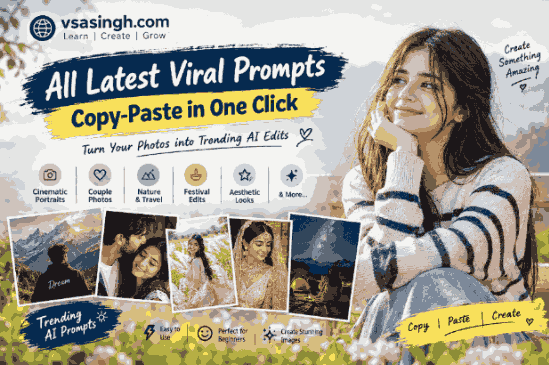
Lekin in images ke peeche har baar complicated editing software ka use zaroori nahi hota. Kai cases mein ek achha AI photo editing prompt hi kaafi hota hai.
Aap apni normal photo upload karke AI ko clearly bata sakte hain ki background kaisa hona chahiye, lighting kis type ki ho, outfit mein kya changes chahiye, image ka camera look kaisa ho aur final picture kis format mein generate honi chahiye.
Isi idea ko dhyan mein rakhte hue vsasingh.com par hum AI photo editing ke kuch latest aur creative prompt ideas ko ek jagah collect kar rahe hain. Is guide ka purpose sirf prompts ki list dena nahi hai, balki beginners ko yeh samjhana bhi hai ki prompt ko properly use karke better results kaise liye ja sakte hain.
Aap kisi bhi suitable prompt ko copy karke apne AI image generator mein try kar sakte hain. Zarurat ke according naam, outfit, location, background, lighting ya photo ratio ko customize bhi kiya ja sakta hai.
Latest Viral AI Photo Editing Prompt
AI image generation mein trend bahut quickly change hote hain. Jo style aaj Instagram par popular hai, kuch din baad uski jagah koi naya concept le sakta hai.
Isi wajah se ek fixed prompt par depend karne ke bajay different visual styles ko experiment karna useful hota hai.
Popular AI photo editing ideas mein aajkal ye categories kaafi interesting hain:
- Cinematic portrait editing
- Natural outdoor photography
- White Kans grass field photos
- Traditional Indian portraits
- Bridal fashion edits
- Night mountain photography
- Milky Way backgrounds
- Moody nature portraits
- Smartphone-style photography
- DSLR-style portraits
- Aesthetic room edits
- Travel photography concepts
- Festival-themed images
- Creative collage designs
- Fantasy and editorial portraits
Aap in concepts ko apni original photo ke saath combine karke completely different visual results create kar sakte hain. viral ai photo editing prompts
Copy-Paste AI Prompts Kaise Use Karein?
Agar aap AI image editing mein naye hain, to process kaafi simple hai.
Sabse pehle ek clear photo select karein. Photo mein face properly visible ho aur lighting bahut zyada dark na ho. Uske baad apne preferred AI image tool mein image upload karein.
Prompt paste karne ke baad AI ko image edit karne ke liye instruction dein.
Basic process:
- Apni original photo select karein.
- AI image editing tool open karein.
- Photo upload karein.
- Neeche diye gaye prompt ko copy karein.
- Prompt ko AI tool mein paste karein.
- Zarurat ho to outfit, location ya lighting change karein.
- Image generate karein.
- Agar result perfect na ho, prompt mein small changes karein.
- Best version save karein.
AI-generated image pehli attempt mein perfect ho, yeh zaroori nahi hai. Kabhi-kabhi same prompt ke 2–4 versions generate karne par better result milta hai. latest ai photo editing prompts 2026
Background Replacement AI Photo Prompt
Kabhi-kabhi original photo achhi hoti hai, lekin background ordinary hota hai. AI ki help se person ko kisi doosri location ke background mein naturally place kiya ja sakta hai.
Is type ke edit mein sabse important cheez hai lighting aur perspective matching.
AI Prompt
Use the uploaded photo as the primary identity reference and place the person naturally into the provided background image. Preserve the person's original facial identity, natural skin tone, hairstyle, body proportions, clothing and overall appearance. Match the perspective, camera angle, lighting, shadows and color temperature of the new environment so the person looks naturally photographed in that location. Keep the background composition clean and realistic without unnecessary changes. Maintain realistic skin texture, natural edges and photographic depth. Create a high-resolution photorealistic result in a vertical 3:4 composition.Is prompt ko aap mountains, gardens, city streets, beaches ya countryside backgrounds ke saath experiment kar sakte hain.
Natural Couple Portrait Prompt
Couple photography ke liye AI ka use social media creators kaafi frequently karte hain. Lekin realistic result ke liye prompt mein excessive beauty effects ke bajay natural expressions aur realistic photography par focus karna better hota hai. free ai photo editing prompts copy paste
AI Prompt
Create a photorealistic outdoor portrait of an adult Indian couple standing together in a peaceful natural location. Keep both faces recognizable and natural while preserving realistic facial proportions and skin texture. The man is wearing a simple stylish casual outfit and the woman is wearing an elegant traditional Indian outfit. Their expressions should look relaxed and natural, as if captured during a real photoshoot. Add soft daylight, realistic shadows, gentle background blur and natural depth of field. Use a professional DSLR photography style with detailed fabric texture, realistic hair and authentic skin tones. Vertical 9:16 composition, cinematic but natural color grading, high-resolution photography.Is prompt mein aap location ko garden, lakeside, village road, mountain viewpoint ya flower field se replace kar sakte hain.
White Kans Grass Field Photo Prompt
White Kans grass fields India mein especially monsoon aur autumn season ke aas-paas visually beautiful lagte hain. Isi reason se Kans grass photography AI edits ke liye bhi ek interesting concept hai. 3d ai photo editing prompt for boys
AI Prompt
Create a highly realistic outdoor portrait of an adult Indian couple walking through a vast field of tall white Kans grass. Preserve their natural facial identity and realistic body proportions. The man is wearing a clean white shirt with subtle floral details and light trousers, while the woman is wearing an elegant pink floral saree with traditional accessories. Add gentle natural wind moving the grass and hair. Include a few subtle butterflies in the distance. Use bright but soft daylight, realistic shadows, shallow depth of field and natural foreground blur. The image should look like a professionally photographed outdoor portrait rather than an AI-generated scene. Detailed fabric, realistic skin texture, natural colors, DSLR photography, cinematic composition and vertical 9:16 framing.Agar aapko couple photo nahi chahiye, to prompt mein “adult couple” ki jagah “adult man” ya “adult woman” use kar sakte hain.
Indian Bridal Editorial Portrait
Traditional Indian bridal photography ka visual style AI image generation mein kaafi detailed ho sakta hai. Jewelry, embroidery, makeup aur lighting ko clearly describe karne se result zyada controlled mil sakta hai.
AI Prompt
Create an ultra-realistic high-end Indian bridal editorial portrait of an adult South Asian bride wearing an elegant champagne and ivory bridal lehenga with detailed embroidery. Add a luxurious sheer dupatta with delicate sequin and pearl work. She is wearing traditional gold bridal jewelry including a maang tikka, jhumka earrings, layered necklace, bangles and a delicate nath. Keep the makeup elegant and natural with soft warm tones, subtle eye makeup, defined lashes and a muted rose lipstick.

Style the portrait as a professional wedding editorial photograph. Show a graceful three-quarter pose with a calm expression and natural posture. Use warm golden lighting with soft highlights and subtle decorative lights in the background. Create realistic jewelry reflections, detailed embroidery, authentic fabric texture and natural skin texture.

Use an 85mm portrait lens look, shallow depth of field, soft background bokeh, cinematic lighting and high-resolution photorealistic photography. Avoid artificial-looking skin, excessive retouching, distorted jewelry, extra fingers, text, logos and watermarks.
Simple Scooter Outdoor Portrait
Har viral AI photo ko complicated banane ki zarurat nahi hoti. Simple outdoor scenes bhi realistic aur attractive result de sakte hain.
AI Prompt
Create a realistic outdoor photograph of an adult Indian woman sitting naturally on a black scooter in a beautiful field of tall white grass during daytime. She is wearing a simple white top and blue jeans with a relaxed natural expression. Keep her face, hairstyle and body proportions realistic. Use soft daylight, a green natural background and gentle depth of field. The grass should have realistic texture and natural movement. Make the photograph look like it was captured with a professional camera during a casual outdoor photoshoot. Natural skin texture, realistic colors, subtle background blur, high detail and vertical 9:16 composition.Kans Grass Portrait With Identity Preservation
Agar aap original photo ka face aur outfit maintain karna chahte hain, prompt mein identity preservation clearly mention karna useful hota hai.
AI Prompt
Use the uploaded photo as the main identity reference. Preserve the exact facial identity, facial structure, skin tone, hairstyle, clothing, body proportions, pose and natural expression of the person. Place the person naturally inside a beautiful field of tall white Kans flowers.

Match the person's lighting with the environment. Add a bright natural sky, green vegetation and soft daylight. The grass should surround the subject naturally without covering the face. Maintain realistic perspective, shadows, camera depth and image quality.

The final result should look like a genuine outdoor DSLR photograph taken in a real Kans grass field. Avoid face modification, excessive beautification, unnatural skin smoothing, distorted hands, duplicate objects and artificial-looking edges.
Moonlight Rooftop Portrait
Night photography prompts mein lighting ko clearly define karna important hai. Sirf “make it cinematic” likhne se kabhi-kabhi unrealistic glow create ho sakta hai.
AI Prompt
Transform the uploaded photo into a realistic cinematic rooftop portrait at night. Preserve the person's original facial identity, hairstyle, outfit, natural skin texture and body proportions. Place the subject on a quiet rooftop under a dark clear sky.

Add a realistic glowing crescent moon in the upper-right portion of the frame with natural surface details and a subtle warm glow. Include a few distant city lights and a simple rooftop structure in the background. Use soft moonlight combined with subtle warm ambient lighting.

Maintain realistic shadows, natural skin texture, detailed clothing and authentic night photography. Use an 85mm DSLR portrait look, shallow depth of field, natural bokeh and cinematic HDR. Vertical 9:16 composition.

Do not change the person's identity, add duplicate moons, distort hands or create artificial facial features. Avoid excessive glow, cartoon effects, text, logos and watermarks.
Pink Aesthetic Indoor Photo
Aesthetic room edits are useful when the original photograph has a simple indoor background and you want to give it a more polished visual appearance.
AI Prompt
Enhance the uploaded portrait with a soft pink aesthetic indoor background. Preserve the original facial features, identity, hairstyle, skin texture and natural expression without changing the person's appearance.

Create a stylish modern room with soft pink ambient lighting, subtle decorative elements and gentle background blur. Keep the lighting soft and flattering but realistic. Avoid excessive beauty filters or artificial skin smoothing.

The final image should look like a naturally captured lifestyle portrait with a modern aesthetic atmosphere. Maintain realistic shadows, natural colors, detailed hair and authentic skin texture. High-resolution photography with a clean vertical composition.
Traditional Saree Editorial Portrait
Traditional clothing can be combined with editorial photography to create a premium-looking portrait.
AI Prompt
Create a realistic editorial portrait of an adult Indian woman wearing an elegant traditional saree with a matching blouse. Preserve her natural facial identity and realistic skin texture. Style her hair naturally and add tasteful traditional jewelry.

Use a soft outdoor or studio-inspired background with warm natural lighting. Create gentle depth of field and subtle background bokeh. The saree fabric should show realistic folds, texture and embroidery.

The final photograph should resemble a professional Indian fashion photoshoot captured with a full-frame DSLR camera. Use natural skin tones, realistic lighting, detailed fabric, authentic jewelry reflections and balanced colors. Avoid excessive retouching and artificial facial changes.
Mountain Night Camping Photo
Mountain photography can produce a dramatic visual when the AI understands the relationship between the subject, vehicle, lighting and night sky.
AI Prompt
Transform the uploaded photo into a realistic cinematic mountain camping scene at night. Preserve the person's original face, hairstyle, clothing, body proportions and natural appearance.

Place the person naturally beside a clean white SUV in a rugged mountain environment. Add a realistic folding camping chair and a simple wool blanket nearby. The vehicle should have realistic reflections and detailed bodywork.

Create a dark mountain range in the distance with subtle atmospheric haze. Add a detailed Milky Way sky with naturally distributed stars. Use the SUV's red rear lights as a realistic secondary light source, creating subtle red reflections on nearby surfaces.

Add a small camping table with a warm lantern and coffee mug. Keep the scene elegant and uncluttered.

Use professional low-light DSLR photography, realistic skin texture, physically believable shadows, natural reflections, atmospheric depth and cinematic contrast. Vertical 9:16 composition.

Avoid fake-looking stars, excessive glow, distorted anatomy, unrealistic objects, artificial skin, text, logos and watermarks.
Simple Mountain SUV Portrait
A simpler version is useful when you don’t want too many objects in the frame.
AI Prompt
Create a photorealistic nighttime mountain portrait using the uploaded image as the identity reference. Keep the person's face, hairstyle, outfit, body proportions and natural appearance unchanged.

Place the person naturally beside a white SUV in a rugged mountain landscape. Add a clear night sky filled with realistic stars and a subtle Milky Way. Use soft environmental lighting and realistic red taillight illumination from the SUV.

The ground should contain natural rocks and subtle reflections. Use a professional DSLR photography style with realistic low-light exposure, detailed skin texture, natural shadows, atmospheric depth and cinematic contrast.

Keep the composition clean and balanced with the person as the primary subject. Vertical 9:16 portrait format. No text, watermark, distorted anatomy or artificial-looking face.
Moody Green Grass Field Portrait
Nature-based moody photography is another creative direction for AI editing.
AI Prompt
Create a cinematic vertical portrait using the uploaded photo as the identity reference. Place the adult man naturally in the middle of a vast green grass field. Tall grass should surround the subject and move gently in the wind.

The subject wears a simple loose white shirt. Preserve his original face and natural appearance. His expression should be calm and thoughtful, with a relaxed downward gaze.

Use a muted natural palette consisting of soft greens, olive tones and off-white. Avoid an exaggerated dramatic effect. Create realistic grass texture, natural wind movement, shallow depth of field and subtle foreground blur.

Use a professional telephoto photography style with realistic exposure, natural skin texture and cinematic but believable color grading. Vertical 3:4 composition.
Solitary Nature Photography Prompt
Sometimes a minimal composition can create a stronger visual than a heavily edited scene.
AI Prompt
Create a realistic medium-long outdoor photograph of an adult person standing alone in a field of tall natural grass. Show the subject slightly from behind and at a gentle angle.

The person is wearing a clean white long-sleeve shirt. Keep the hairstyle and body proportions natural. The lower body should be partially surrounded by the grass.

Use soft muted daylight and gentle shadows. Create a shallow depth of field with the subject remaining sharp while the surrounding grass gradually becomes softer. Add subtle natural movement to the grass without making the scene look artificially blurred.

The overall image should feel quiet and cinematic while still looking like a real photograph. Natural green tones, realistic textures, professional camera quality and vertical composition.
Monochrome Conceptual Portrait
Black-and-white AI photography can create a completely different mood from colorful social media images.
AI Prompt
Create a monochrome conceptual portrait of an adult man viewed from behind, standing toward a distant hazy mountain landscape. He is wearing a simple light-colored button-up shirt.

Create a subtle artistic composition with a small rectangular portrait element in the upper portion of the frame, blending naturally into the overall visual concept. Keep the composition minimal and balanced.

Use only black, white and soft gray tones. Lighting should be diffused and gentle, similar to an overcast day. Maintain realistic clothing texture, atmospheric mountains and natural photographic depth.

The final image should look like conceptual fine-art photography rather than a cartoon or CGI image.
Three-Frame Social Media Collage
AI can also be used to create multiple related poses in one vertical composition.
AI Prompt
Create a realistic three-frame vertical photographic collage featuring the same adult woman in each frame. She is sitting naturally on green grass beside a peaceful lakeside environment.

Maintain consistent facial identity, hairstyle, clothing and overall appearance across all three frames. Each frame should show a slightly different natural pose while keeping the visual style consistent.

Use soft daylight, realistic colors, natural skin texture and DSLR-quality photography. Add a clean modern layout between the frames with enough spacing for a social media post.

Keep the overall design elegant and minimal. Vertical composition, high resolution, realistic photography and natural background depth.
Agar image mein text add karna ho, to exact wording separately specify karna better hota hai. AI-generated text kabhi-kabhi incorrectly render ho sakta hai, isliye final text Canva ya kisi editing tool mein add karna useful ho sakta hai.
Dreamy Indian Fashion Portrait
Fashion-style AI images ke liye background, clothing aur lighting ko ek consistent visual direction mein rakhna important hai.
AI Prompt
Create an ultra-realistic editorial portrait of an adult Indian woman wearing a sophisticated pastel-blue layered gown with elegant traditional-inspired floral earrings. Add a small bindi and naturally styled long hair.

She is sitting gracefully in an open garden pathway and looking slightly toward the camera with a soft natural expression. Behind her, create a subtle oversized faded portrait effect blended into a bright cloudy background.

Use pastel color grading, soft cinematic light, gentle haze and shallow depth of field. The image should feel like a premium fashion editorial photographed with a professional DSLR camera.

Maintain realistic skin texture, natural facial proportions, detailed clothing and believable lighting. Avoid excessive beauty filters, distorted hands, artificial skin and CGI effects.
AI Photo Editing Prompt Ko Better Kaise Banayein?
Sirf long prompt likhne se hamesha better result nahi milta. Prompt mein clear instructions hona zyada important hai.
Aap prompt ko roughly is formula se build kar sakte hain:
Subject + Identity + Outfit + Location + Pose + Lighting + Camera Style + Background + Quality + Negative Instructions
For example:
Adult Indian man + original face preserved + white shirt + mountain location + standing pose + golden-hour lighting + DSLR photography + blurred mountain background + realistic skin texture + natural colors + vertical 9:16Is formula ko use karke aap apne khud ke prompts bhi bana sakte hain.
AI Prompt Mein Identity Lock Kyun Important Hai?
Agar aap apni original photo edit kar rahe hain, to sabse common problem face change hone ki hoti hai.
AI kabhi-kabhi:
- Face shape change kar deta hai
- Eyes modify kar deta hai
- Hairstyle alter kar deta hai
- Skin ko excessively smooth kar deta hai
- Outfit ka design badal deta hai
- Hands ya fingers ko incorrectly generate kar deta hai
Isliye prompt mein clear instructions dena useful hai:
“Preserve the original facial identity and natural appearance.”
Lekin yeh bhi samajhna important hai ki har AI tool identity ko exactly preserve kare, yeh guarantee nahi hoti. Agar result mein face noticeably change ho raha hai, to prompt ko shorter aur more specific karke dobara try karein.
Better AI Photos Ke Liye Original Image Kaisi Hon?
Input image ka quality final output par kaafi impact daal sakta hai.
Try karein ki original photo:
- Clear ho
- Face properly visible ho
- Excessively blurry na ho
- Bahut dark na ho
- Subject cropped na ho
- Body position understandable ho
- Background unnecessarily complicated na ho
Agar original photo low-quality hai, to AI ke liye identity aur body structure samajhna difficult ho sakta hai.
9:16, 3:4 Aur 4:5 Aspect Ratio Ka Matlab
Social media ke liye image ratio bhi important hai.
9:16
Instagram Reels, Stories aur YouTube Shorts type vertical content ke liye useful.
4:5
Instagram feed-style portrait posts ke liye useful.
3:4
General portrait photography aur mobile-friendly images ke liye practical option.
Prompt mein ratio mention karne se AI ko desired composition samajhne mein help mil sakti hai, although exact output tool par depend karta hai.
Cinematic Look Kaise Create Karein?
“Cinematic” ek broad word hai. Better result ke liye uske saath specific visual details bhi add karein.
Aap use kar sakte hain:
- Soft directional light
- Shallow depth of field
- Natural shadows
- Atmospheric haze
- Warm highlights
- Subtle contrast
- 50mm or 85mm lens look
- Natural skin texture
- Background bokeh
Lekin har prompt mein in sabko ek saath add karna zaroori nahi hai. Scene ke according details choose karein.
AI Photo Editing Mein Common Problems
AI image editing impressive hai, lekin perfect nahi hai. Kuch common problems frequently dekhne ko mil sakti hain.
Face Change
Agar face change ho raha hai to identity preservation ko clearly mention karein.
Extra Fingers
Hands ko AI ke liye generate karna difficult ho sakta hai. Simple poses generally better result dete hain.
Unrealistic Lighting
Subject aur background ki lighting match na hone par image edited lag sakti hai.
Fake Background
Background ko realistic banane ke liye perspective, shadows aur depth mention karein.
Over-Smooth Skin
“Perfect skin” jaise words avoid karke “natural skin texture” use karein.
Too Much Blur
Background blur subtle rakhein. Excessive blur scene ko artificial bana sakta hai.
AI Photo Editing Prompts Ko Customize Kaise Karein?
Neeche diye gaye prompts ko exactly same use karna zaroori nahi hai.
Aap easily customize kar sakte hain:
Location:
Mountain → Beach → Garden → City → Village
Outfit:
Shirt → Kurta → Saree → Jacket → Casual outfit
Lighting:
Daylight → Golden hour → Sunset → Night → Studio light
Camera:
DSLR → Smartphone → 50mm → 85mm → Editorial style
Format:
9:16 → 4:5 → 3:4
Is tarah ek hi base prompt se multiple creative versions banaye ja sakte hain.
Beginners Ke Liye Simple Prompt Formula
Agar aapko khud prompt likhna difficult lagta hai, to is simple template ko follow karein:
Create a realistic [type of photo] of [person/subject].
Preserve [identity/details].
Place the subject in [location/background].
The subject is wearing [outfit].
Use [lighting style].
Add [important background details].
Use [camera/photography style].
Maintain realistic skin texture, natural proportions and believable lighting.
Create a [aspect ratio] high-resolution photograph.
Avoid distortion, artificial skin, extra fingers, text and watermark.
Is template ko modify karke almost kisi bhi basic AI photo concept ke liye use kiya ja sakta hai.
Kaun-Kaun In Viral AI Prompts Ka Use Kar Sakta Hai?
AI prompts sirf influencers ke liye nahi hain.
Inka use different types ke creators kar sakte hain:
- Instagram creators
- YouTube Shorts creators
- Bloggers
- Website owners
- Digital artists
- Photographers
- Small businesses
- Fashion creators
- Travel creators
- Social media managers
- Students
- Personal branding creators
Agar aap website chalate hain, to AI images ko article illustrations, featured images aur social media graphics ke liye bhi use kar sakte hain.
AI Images Ko Social Media Ke Liye Kaise Use Karein?
Ek achhi AI-generated image ko sirf profile picture tak limited rakhne ki zarurat nahi hai.
Aap use kar sakte hain:
- Instagram posts
- Reels thumbnails
- YouTube Shorts thumbnails
- Facebook posts
- Pinterest graphics
- Blog featured images
- Website banners
- Story backgrounds
- Creative posters
Lekin agar AI image mein kisi real person ka face use ho raha hai, to us image ko misleading context mein present karne se bachna important hai.
AI Photo Trends Itne Fast Kyun Change Hote Hain?
AI image tools continuously improve ho rahe hain. Saath hi social media algorithms bhi naye visual formats ko quickly highlight karte hain.
Is wajah se kuch dinon mein:
Nature trend → cinematic trend → festival trend → fashion trend → travel trend
jaise changes dekhne ko mil sakte hain.
Isliye kisi ek prompt ko “final viral prompt” samajhne ke bajay naye concepts experiment karna zyada useful hai.
Final Words From vsasingh.com
AI photo editing ne creative photography ko kaafi accessible bana diya hai. Pehle ek professional-looking portrait ke liye camera, location, lighting setup aur editing software ki zarurat pad sakti thi. Aaj ek smartphone photo aur carefully written prompt se bhi creative results explore kiye ja sakte hain.
Lekin ek important baat yaad rakhein: sirf prompt ki length image quality decide nahi karti. Clear instructions, achhi original photo, suitable background aur realistic lighting ka combination zyada important hota hai.
Isi guide mein diye gaye prompts ko aap starting point ke roop mein use kar sakte hain. Kisi prompt mein mountain location pasand hai to use beach se replace karein. Traditional outfit ko casual look mein change karein. Daylight ko sunset lighting se replace karein. Is tarah aap apne liye completely new AI photo concepts bana sakte hain.
AI ka best use tab hota hai jab aap copy karne ke bajay experiment karte hain.
Agar pehli image perfect nahi aati, prompt mein ek-ek detail change karke dobara try karein. Kabhi background ko simple karna better result deta hai, kabhi lighting ko natural rakhna aur kabhi unnecessary details remove karna.
vsasingh.com par hum isi tarah ke practical AI, technology aur digital creativity topics ko simple language mein cover karte hain, taaki beginners bhi naye tools aur trends ko easily samajh saken.
Aap in prompts ko apni creativity ke according customize kijiye, different styles try kijiye aur dekhiye ki aapki original photo kis tarah ek completely new visual story mein transform ho sakti hai.


Leave a Reply